


OfficeSuite Pro + PDF
4.57.99K Reviews
App Specs
- Version
- 14.4.51693
- Updated On
- License
- $29.99
- Downloads
- 1,000,000+
- Developer
- MobiSystems
- Categories
- Business
- Platform
- Android, iOS
Screenshots

 Analysis by AppCompare
I judge a mobile office suite by what it lets me do with a file when I’m away from my computer, not by how many icons it can fit on a screen. OfficeSuite Pro + PDF brings Word, Excel, PowerPoint and PDF work together in one app, which is useful when a document arrives in one format and needs to leave in another. Its appeal is less about replacing a full desktop setup and more about making everyday file handling possible from a phone.
One workspace for several kinds of documents
The central convenience is being able to move between text documents, spreadsheets, presentations and PDFs without switching among separate office apps. MobiSystems makes the suite for business use, but I can see it fitting just as naturally into a student’s routine or anyone who gets work files by email. The app has a 4.5 average from around 88,000 ratings, and it has passed one million installs; that gives a prospective user a sense of its reach, though it cannot tell you whether its editing style will suit your own habits.
That combined approach is most helpful for short, practical jobs: correcting a paragraph before sending a report, checking a figure in a spreadsheet, or adding a note to a PDF someone has shared. I would not treat a phone as the ideal place to build a complex presentation or reshape a large workbook from scratch. The benefit is that I can handle the small but time-sensitive changes that otherwise wait until I get back to a laptop.
How the format mix helps in practice
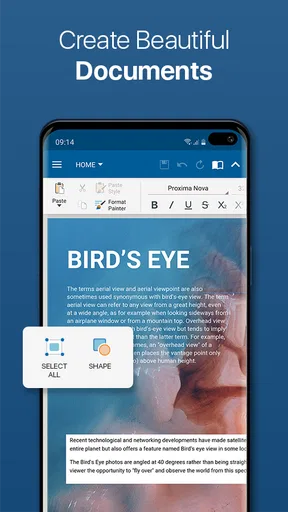
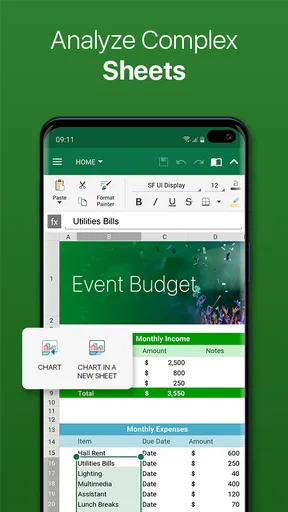
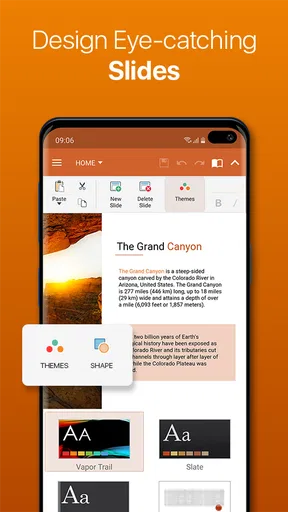
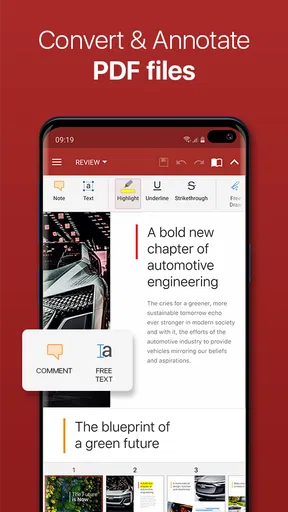
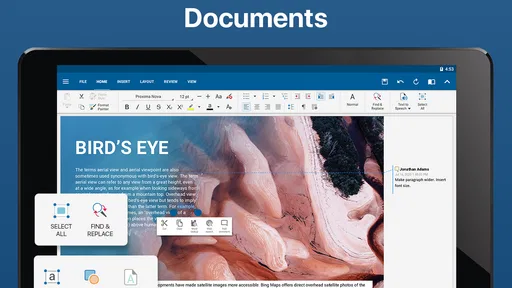
OfficeSuite Pro + PDF can open and edit Word documents, Excel spreadsheets and PowerPoint presentations, and it also lets me view and annotate PDFs, with conversion between PDF and other formats available. That makes it handy when a colleague sends a PDF for comments but I need to return an editable document, or when I want to review a file without first finding a separate reader. Conversion is a useful bridge, not a guarantee that every page will look identical after moving between formats, so I would inspect the result before sharing anything important.
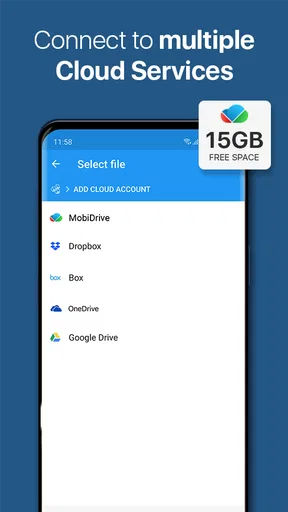
Cloud connections, including Google Drive, Dropbox and OneDrive, give the workflow more flexibility: I can work from files stored outside the phone and continue on another device. In day-to-day use, the smart habit is to confirm which copy I am editing and where the finished version is saved. That small check can prevent the familiar problem of making a careful revision in a local copy while the shared file stays unchanged.
Where it earns its place
Imagine I am commuting when a client sends a contract as a PDF and asks for a quick comment before a meeting. I can open it, mark the relevant passage, and keep the document with the rest of my office files rather than juggling a viewer, a converter and an editor. For a student, a similar moment might be annotating a reading between classes, then opening a spreadsheet for a group project. These are modest tasks, but combining them in one place can make the phone genuinely useful for work instead of merely a place to preview attachments.
For longer editing sessions, I would still choose a laptop, especially for precise spreadsheet work or layouts where page breaks and alignment matter. A touchscreen is convenient for a sentence or a quick correction, but selecting cells, adjusting a dense table or polishing slides can become fiddly. My practical tip is to use the phone for review and targeted changes, then check the final file on the device or app that will be used to present or print it.
Worth Reading Before You Choose

EA SPORTS FC Mobile 26 Is a Bigger Football Game, but It Takes Time

Flipboard Shows What News Apps Must Do Beyond the Feed

Switching to Android Auto Means Rethinking Your Driving Routine

Google Calendar Makes a Crowded Week Easier to Manage

Ludo King Makes the Most of the Minutes Between Plans

Baby Panda World Brings Quick Play to Modern Phones, but Its Game Library Feels Busy
What to weigh before choosing it
This is a paid app: OfficeSuite Pro costs $29.99, and in-app purchases range from $2.99 to $49.99 per item. I would compare the total cost with how often I actually edit office files on a phone, rather than buying it just because I sometimes need to read an attachment. Someone who mostly views documents may be better served by free tools already available to them, while frequent mobile editors may value keeping several file types under one roof.
It is rated for Everyone, and version 14.4.51693 requires Android 7.0 or later. The app was released on July 5, 2010, and its long presence in the office-app category makes it a familiar option, but I would still check that the version available for my device supports the workflow I need. The right choice also depends on where my files live: the listed cloud connections are useful if I already use one of them, while people committed to another ecosystem may prefer that provider’s own office tools for closer integration.
Who is likely to get the most from it?
I would recommend it to people who regularly receive a mix of editable office files and PDFs and need to make real changes while away from a desk. It is especially appealing if convenience matters more than doing every task with desktop-level precision. If most of your work is reading, or if you depend on advanced spreadsheet controls and carefully tuned page layouts, a free viewer or a desktop suite may be the more sensible choice. The key question is not whether the app can handle office files, but whether mobile editing happens often enough in your week to justify a paid suite.
So, I recently got my hands on OfficeSuite Pro + PDF, and let me tell you, it’s like having a mini office right in my pocket. If you’re someone who juggles between documents, spreadsheets, and presentations, this app might just be what you need. Let’s dive into what makes it tick and whether it’s worth your time and money.
First Impressions
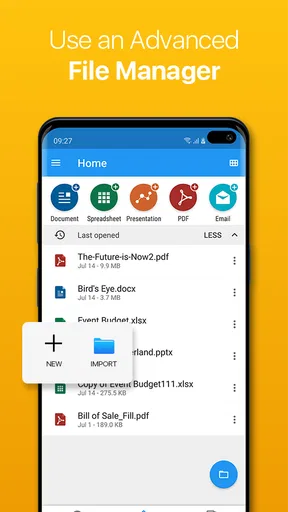
Upon launching OfficeSuite Pro + PDF, the interface was super clean and intuitive. It didn’t take me long to find my way around. The app greets you with a dashboard that neatly organizes all the important features. Think of it as your digital workspace where everything is just a tap away. Pretty slick, right?
The color scheme is easy on the eyes, and the icons are straightforward. Whether you’re a techie or someone who’s not so tech-savvy, navigating through this app is as easy as pie. I didn’t feel overwhelmed, which is crucial when I’m trying to get work done on the go.
Diving into Features
Now, let’s talk about the features that set this app apart. First, it supports a wide range of file formats. From Word docs to Excel spreadsheets and PowerPoint presentations, you can open and edit them all. The PDF support is also robust, allowing you to view, annotate, and even convert PDFs to different formats. For someone who deals with PDFs regularly, this is a godsend.
One feature that caught my eye was the cloud integration. You can easily sync your files with popular cloud services like Google Drive, Dropbox, and OneDrive. This means I can start working on a document on my phone and pick up right where I left off on my laptop. How convenient is that?
Performance and Usability
Performance-wise, the app is a powerhouse. I tested it on both Android and iOS, and it ran smoothly on both platforms. Editing documents was a breeze, and there was no noticeable lag, even with larger files. The touch controls are responsive, which is crucial for those quick edits when you’re on the move.
Another standout feature is the multilingual support. Whether you’re drafting an email in English or a report in Spanish, the app has got you covered. The built-in spell checker and grammar tool are pretty handy if you want to ensure your documents are polished.
Security and Privacy
In today’s age, security is a big deal, especially when dealing with sensitive documents. OfficeSuite Pro + PDF offers password protection for your files, ensuring that your data remains secure. The app also doesn’t shy away from regular updates, which is reassuring in terms of data protection.
Final Thoughts
All in all, OfficeSuite Pro + PDF packs a punch with its robust features and ease of use. Whether you're a student, professional, or just someone who likes to have their documents handy, this app is a solid choice. It seamlessly integrates into your workflow, making document management on the go feel like a breeze.
Would I recommend it? Absolutely. It's an investment that pays off, especially for those who value productivity and efficiency. So, if you’re on the hunt for a reliable office suite app, give this one a shot. You just might find it to be your new best friend in the digital workspace.
Pros
- Comprehensive document editing features.
- Seamless integration with cloud services.
- Supports multiple file formats.
- User-friendly interface with easy navigation.
- Advanced PDF editing tools included.
Cons
- Premium features require subscription.
- Occasional syncing issues reported.
- Lacks real-time collaboration tools.
- Interface can feel cluttered at times.
- Heavier on battery usage compared to peers.
FAQs for OfficeSuite Pro + PDF
What features does OfficeSuite Pro + PDF offer?
OfficeSuite Pro + PDF provides a comprehensive suite of tools for document editing, including word processing, spreadsheets, presentations, and PDF editing. It supports a wide range of file formats, ensuring compatibility with Microsoft Office files. Additionally, it offers cloud support, enabling users to access and store documents on platforms like Google Drive, Dropbox, and OneDrive.
Is OfficeSuite Pro + PDF compatible with both Android and iOS devices?
Yes, OfficeSuite Pro + PDF is available for both Android and iOS platforms, providing a seamless experience across devices. The app ensures that users can access and edit their documents on multiple devices without any compatibility issues, maintaining consistency and ease of use across different operating systems.
Does OfficeSuite Pro + PDF require an internet connection to function?
OfficeSuite Pro + PDF can operate offline, allowing users to edit and create documents without an internet connection. However, for features like cloud storage access or sharing documents via online platforms, an internet connection is necessary. Offline functionality ensures productivity even when connectivity is limited.
How does OfficeSuite Pro + PDF handle PDF editing?
OfficeSuite Pro + PDF offers robust PDF editing capabilities. Users can annotate, fill forms, sign documents, and even convert PDFs into various formats. The app provides an intuitive interface for managing PDFs, making it a versatile tool for both personal and professional use, simplifying complex tasks with ease.
What are the pros and cons of using OfficeSuite Pro + PDF?
Pros include a comprehensive suite of editing tools, compatibility with multiple file formats, and robust cloud integration. It also offers strong PDF editing features. However, some users may find the interface slightly complex initially, and certain advanced features require a subscription. Despite this, it remains a powerful tool for document management.


